Choose an artifact before departure
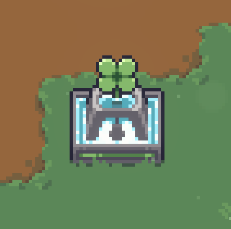
The Wishing Fountain lets you select an artifact to take into an exploration. Unlock its node in Destiny Inscription first, then use the fountain before departure. The fountain encountered inside a dungeon is a different event.
Check capacity before selecting
Read Pocket Capacity in the selection menu, then compare it with the cost of the artifact you want. Capacity is a selection budget, not a promise that any item of that rarity is available.
The current help lists costs of 3 for Common, 4 for Uncommon, 5 for Rare and 6 for Legendary. For example, a displayed budget of 4 covers a Common or Uncommon selection, but not a Rare one. Use the displayed budget after changing talents.
Resolve a blocked choice
Match the message to the problem before changing your build. A capacity error and an unavailable artifact are different restrictions.
- Capacity exceeded: remove a selection or choose an artifact that fits the displayed budget.
- This artifact cannot be taken: choose an eligible item; extra capacity does not remove this restriction.
- Starting items cannot be stored: do not try to put a character’s starting item into the fountain selection.
Confirm the actual starting loadout
Use Selection Complete when your choice is ready. After resetting talents or loading a preset, reopen the selection and check the item and capacity again. Lowering Willpower below 20 can remove brought items.
For the Deer unlock, the fountain must already be unlocked, but the qualifying clear must be completed without using it. Leave the selection empty for that attempt and check the Deer page for the victory requirement.