
Allocate before departure
Talents add stats and unlock additional effects at 5, 10 and 20 points in a category. Set them outside the dungeon: talent points cannot be changed while exploring. Use the mirror at home to review your allocation and reset it before choosing another route.
Where talent points come from
The community progression guide lists up to 30 points from Destiny Inscription and another 20 from Hard Mode, for a total of 50. Treat 50-point builds as a completed-progression budget, not a starting allocation. Check your available points before copying one.
For the additional Hard Mode points, that progression table lists one point at each multiple of 3 through 30, then 2 at 35, 3 at 40 and 5 at 50. These are milestone rewards, not points earned again on every clear.
Choose effects before filling a category
Our planning recommendation is to identify the effect your route needs first, reserve enough points to reach it, then spend the remainder on support. Spreading a small budget across every category can leave the important threshold out of reach.
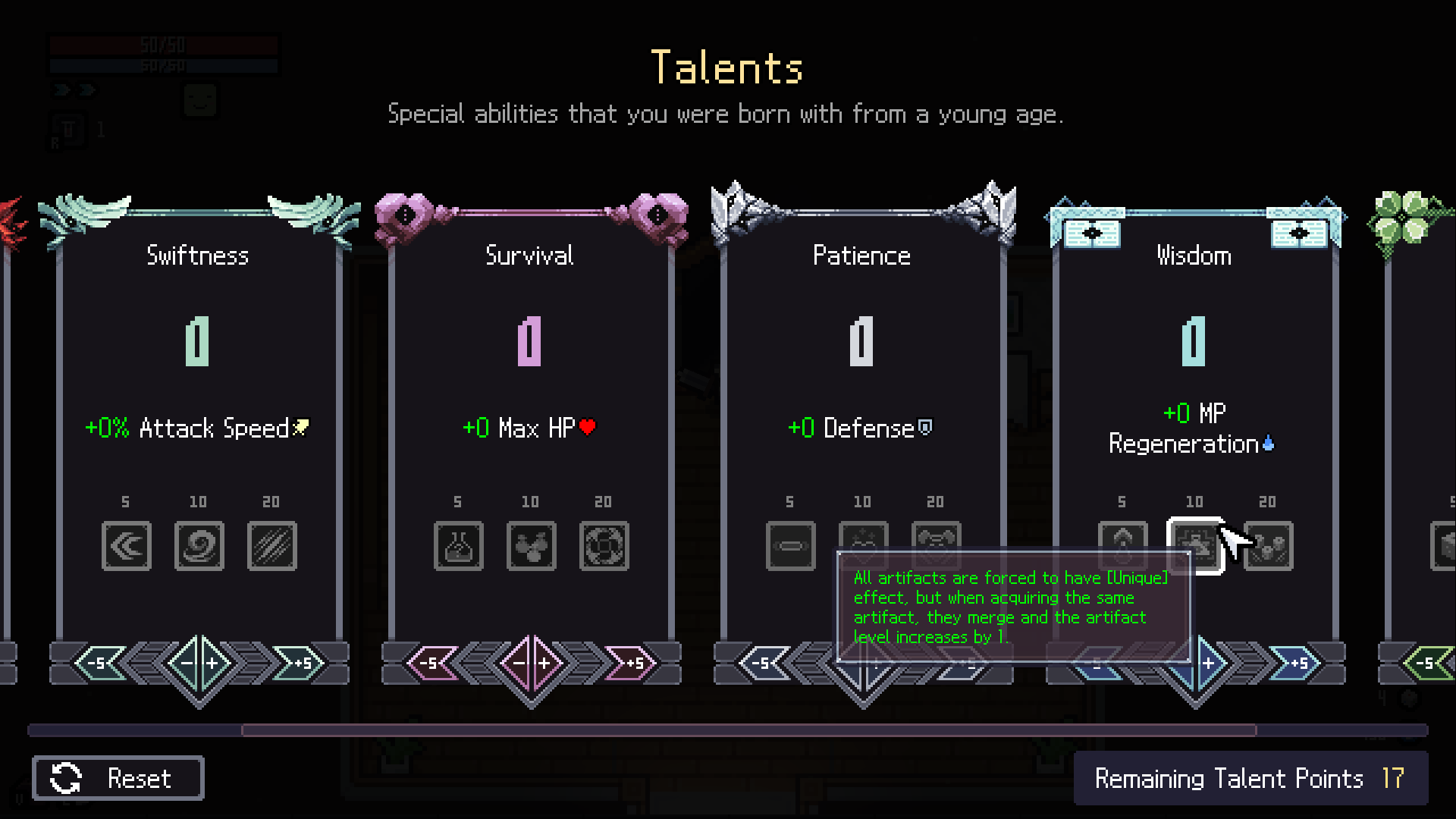
- Swiftness 5 adds an extra dash. It is a useful first threshold to consider when movement is your immediate problem.
- Survival 20 enables tablet imprinting but costs 12 inventory slots. It changes the layout you can use, not just your health.
- Ingenuity 10 adds a weapon, item and miracle choice. Consider it when your route depends on finding particular rewards.
Adapt a build to fewer points
Add up the allocation shown on the build page. If it exceeds your budget, identify its required mechanic before dropping points: removing an imprinting threshold can invalidate the whole bag layout. Choose a route without that requirement if you cannot afford it yet.
For example, reserving 20 points for one required effect from a 30-point budget leaves 10 for support. This is a budgeting example, not a universal allocation. Use the linked build's reasons to choose those remaining points.
Recheck starting items after a reset
Lowering Willpower below 20 triggers a warning that brought items will be removed. After resetting talents or loading a preset, check your actual starting equipment again before departing. An imported allocation can also fail when a talent is locked or you have too few points.