Can you play Sephiria with friends?
Yes. Sephiria supports online co-op for up to four total players. Local and split-screen co-op are not available.
- Online co-op: up to four players in total, including the host.
- Local couch co-op: not available.
- Split-screen: not available.
Find and open the multiplayer door
Find the large stone Mysterious Door in Bunnyville and use its Open prompt to reach the Multiplayer screen. If the door is not ready, complete the Prologue or tutorial on that character first.
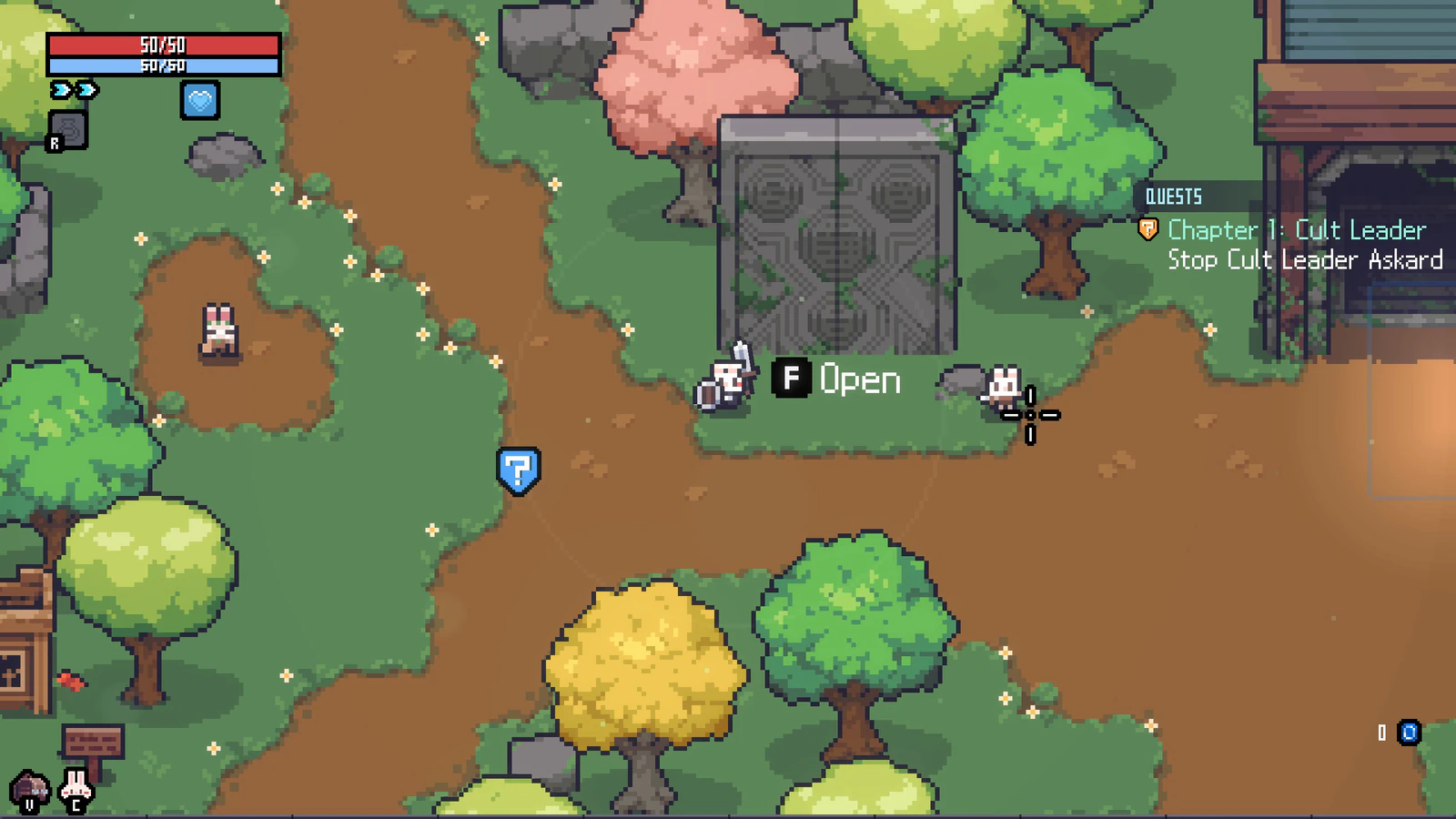
- Complete the Prologue or opening tutorial if the door is not usable
- Return to Bunnyville
- Find the large stone Mysterious Door
- Use the Open prompt to reach Multiplayer
Create a multiplayer game
Select Create on the Multiplayer screen to begin hosting. Once the lobby exists, use the available invite controls and wait for every player to appear before starting.
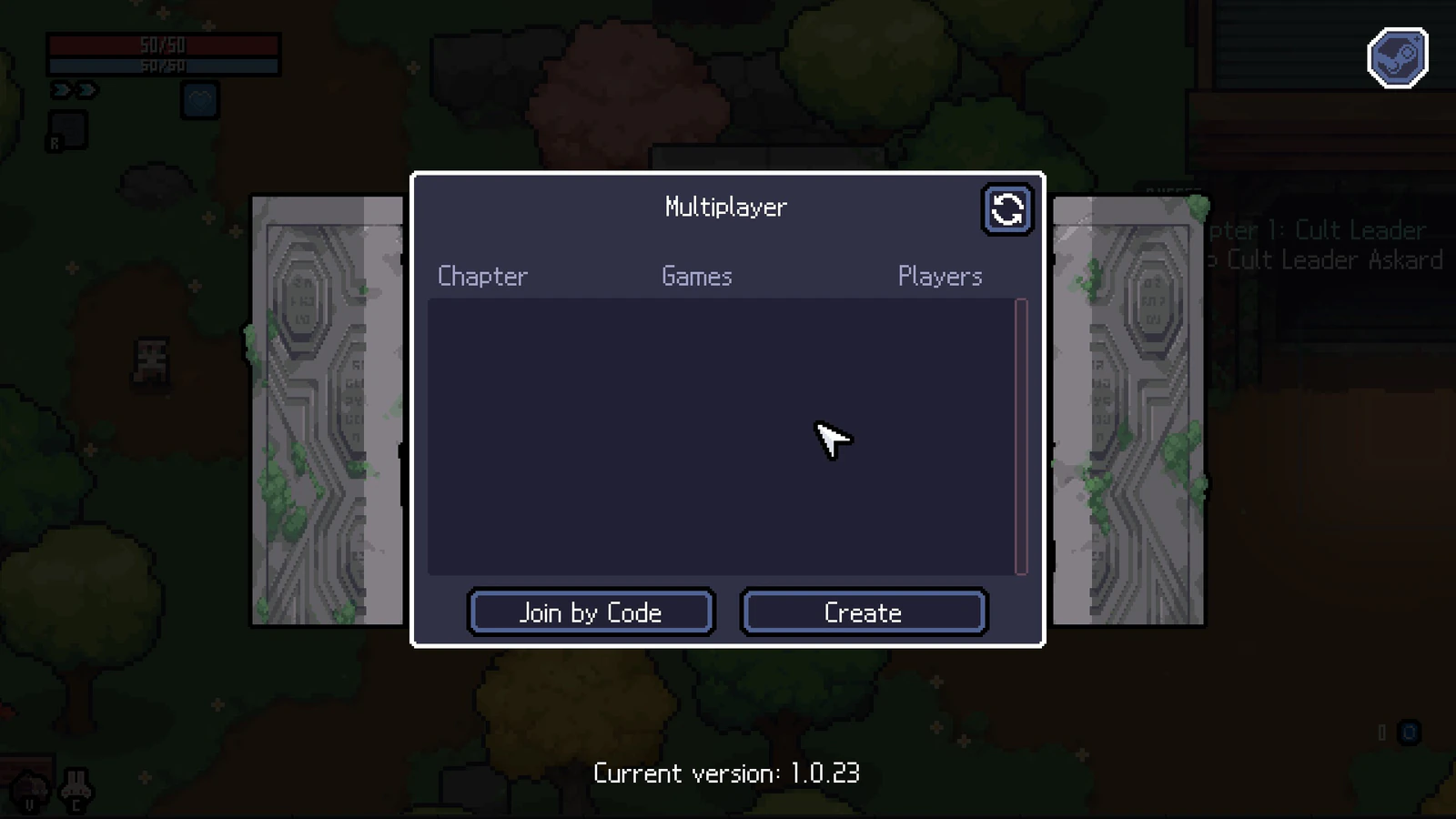
- Open the Mysterious Door
- Select Create
- Use the available Steam invite controls after the lobby opens
- Wait for everyone to appear before starting
- Keep the lobby name within 64 characters in 1.0.30.
Join by code or Steam invite
Select Join by Code when the host gives you a lobby code. You can also join through an invite after the host creates the lobby.
- Make sure every player is on the same game version
- Open the Mysterious Door on the joining character
- Select Join by Code and use the host's code
- If using an invite, accept it after the host creates the lobby
Connection stability
Rare disconnects during combat and Miracle selection have been addressed. If a problem repeats, recreate the lobby and test again before changing local files or assuming the same fault affects every session.
If the lobby or invite does not work
Start with reversible checks. Make sure every player has completed the opening progression and is running the same game version, then recreate the lobby and resend the invite. Do not delete saves or change configuration files for a basic connection problem.
- Check that all players have the same installed game version
- Check each player’s current chapter and finish pending story conversations before retrying; invitations between incompatible chapter states have received fixes.
- Let the host recreate the lobby
- Resend the invite after the new lobby appears
- Restart Sephiria and Steam if the lobby state is stuck
What happens when a teammate dies?
From 1.0.26, defeated players can watch a teammate’s screen using the spectating controls shown in-game.
Temporary HP received above your maximum through another player’s revive survives ordinary healing, but is removed when your maximum HP changes. Keep that distinction in mind before changing your maximum HP after a revive.
Chapter 5 or 6 progress gets stuck
Update every player’s game before retrying a story blocker. The 1.0.26 update addressed Chapter 5 lobby kicks and progression after the Chapter 6 final boss; 1.0.29 addressed freezes after a Chapter 6 multiplayer game over.
If the issue repeats on the same version, record the host and guest chapter states, the objective on screen and the action that triggered it. Include those details with the log files below.
Report a repeatable disconnect
Send repeatable bug reports to [email protected]. On Windows, logs are stored in C:\Users\<Your_PC_Name>\AppData\LocalLow\TEAMHORAY\Sephiria. Player.log contains the current session and Player-prev.log contains the previous session.